Control your ad accounts from your AI assistant
Read, write, launch and optimize across Google, Meta, TikTok, and Microsoft — directly from Claude, ChatGPT, or Cursor. Blend MCP is the Model Context Protocol server for paid marketing.
4 Ways Marketers Use Blend MCP
Full read-write access to your ad accounts — through natural language. No dashboards, no manual work.
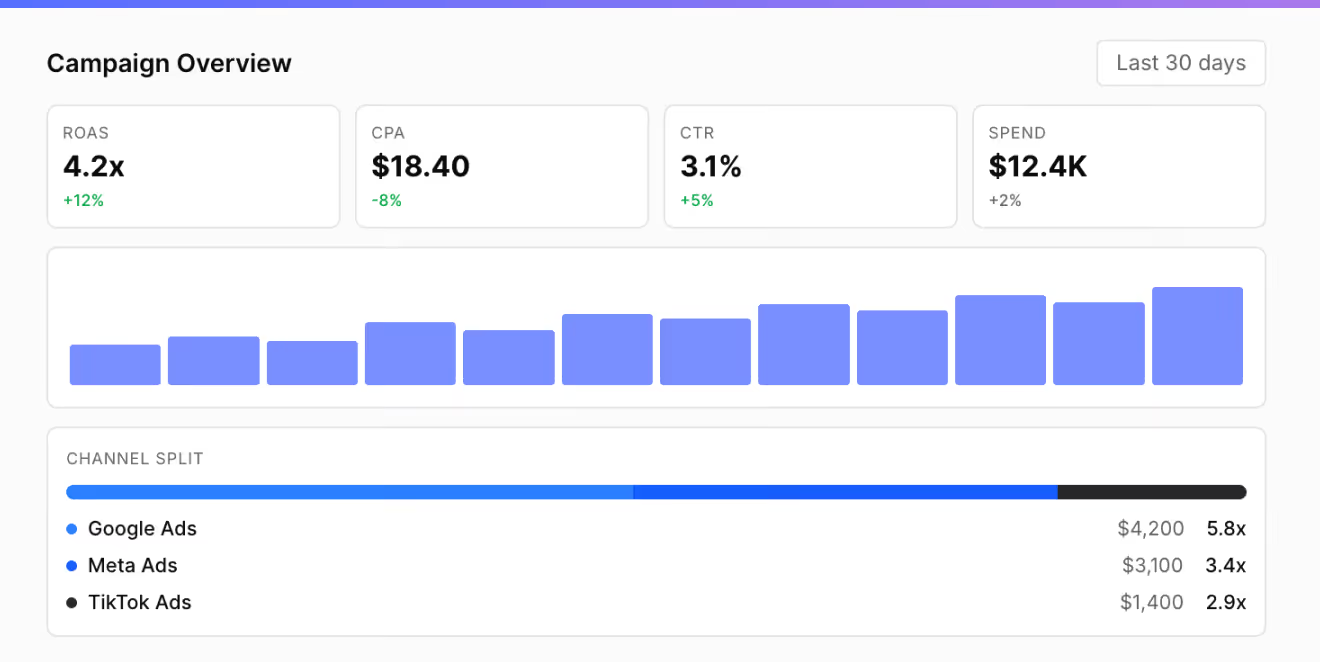
Performance reporting
Ask your AI for a full cross-platform breakdown. Instant insights across Google, Meta, TikTok, and Microsoft — no more switching between dashboards.
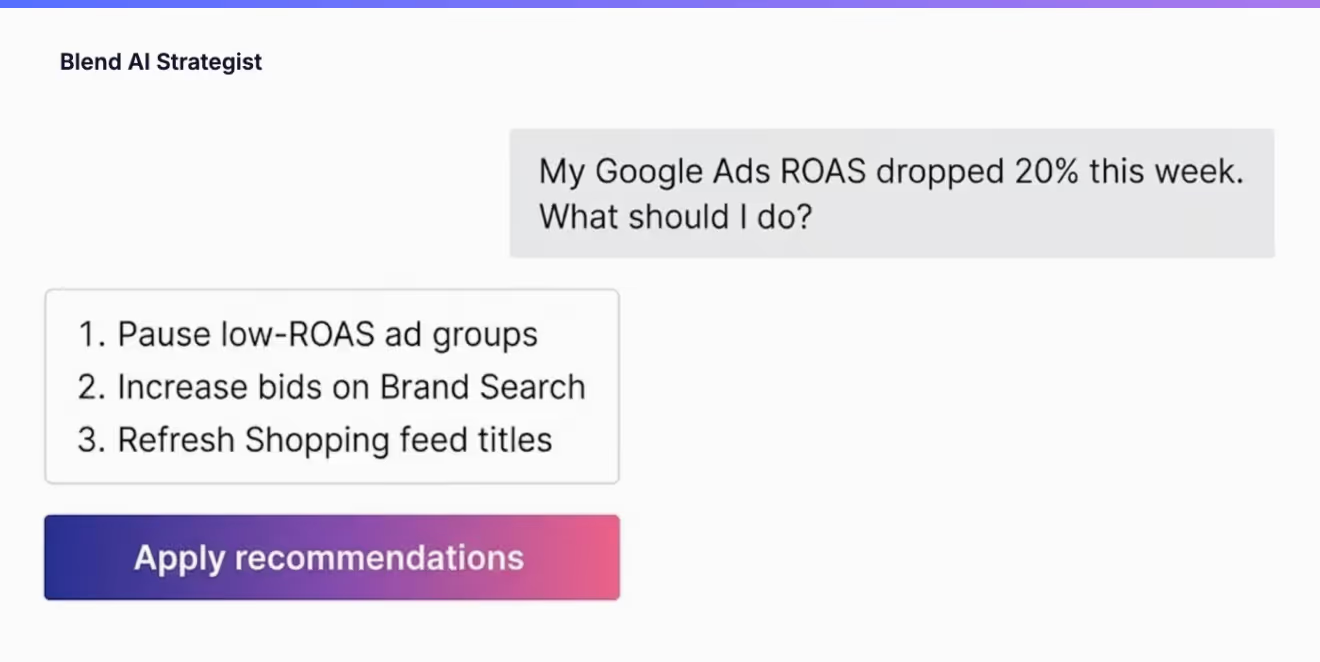
Optimize & take action
Shift budgets, adjust targeting, pause underperformers, and launch new campaigns — all through conversational commands.
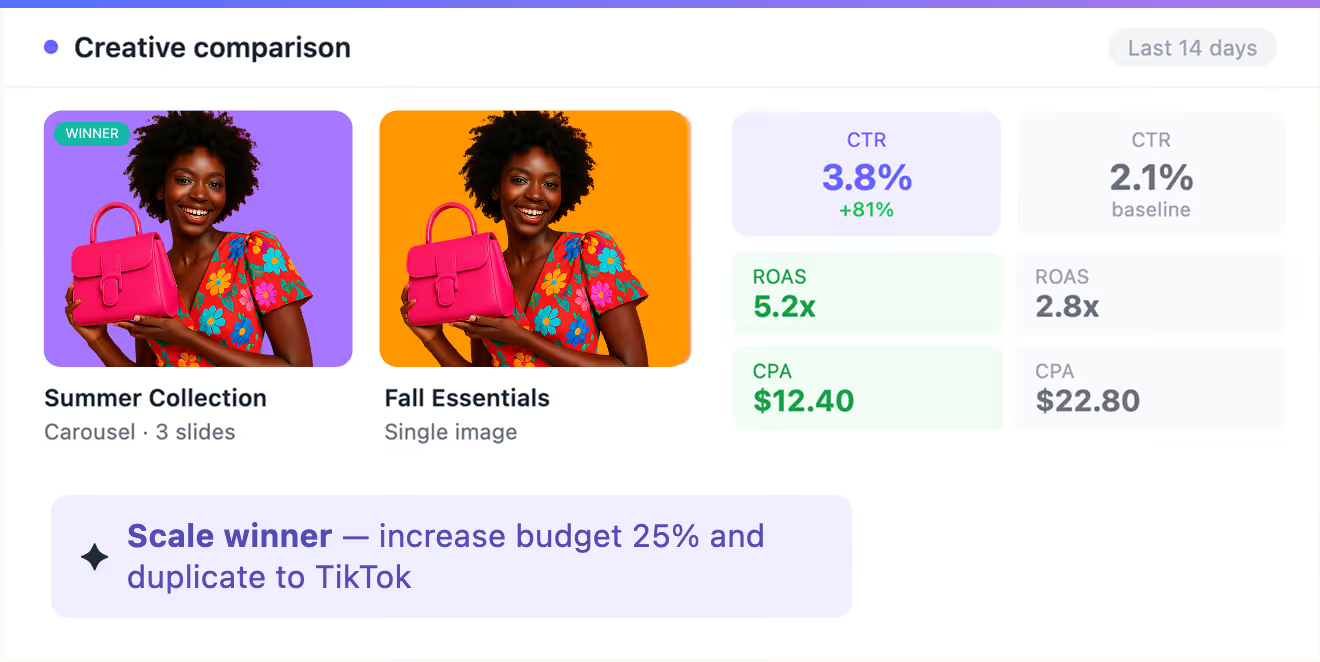
Creative analysis
Compare creatives, surface winners, and get AI-powered recommendations. Draft ad copy informed by your best-performing ads.
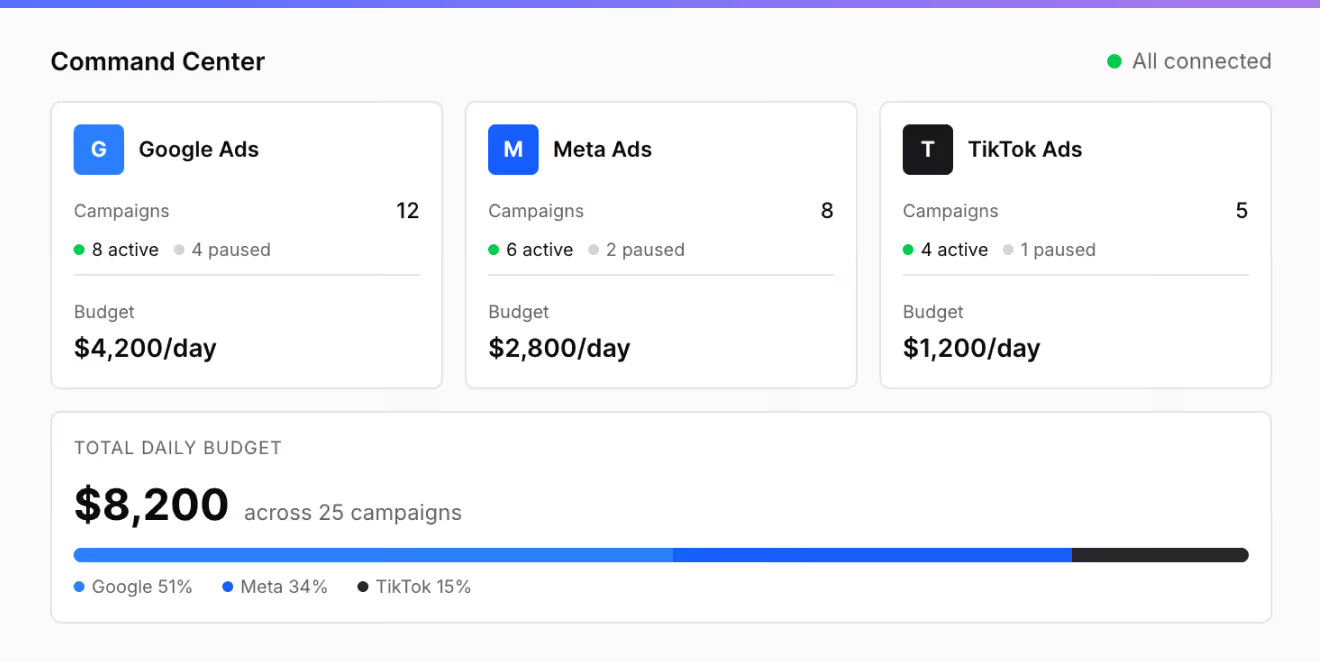
Cross-platform sync
Copy strategies between platforms, manage all channels from one conversation, and keep campaigns aligned automatically.
See the full docs and setup guide
Everything you need to get started with Blend MCP — connect your ad accounts and start managing ads from your AI assistant.
Get started in 2 minutes
Connect your ad accounts
Link Google, Meta, TikTok, and Microsoft securely with OAuth. No credentials to manage.
Add Blend to your AI assistant
Install the Blend MCP server in Claude, ChatGPT, Cursor, or any MCP-compatible tool.
Start managing ads
Analyze performance, create campaigns, optimize budgets — just by asking.

Ready to manage ads from your AI?
Join the marketers who manage campaigns across four platforms with a single conversation.
What marketers say about Blend MCP
One prompt and I had a full interactive dashboard with cross-channel reporting. Instantly felt more in control of my ad spend than ever before.

Blend MCP delivered an analysis that would have taken hours manually — then went ahead and applied the optimizations. Incredibly powerful.

Our AI agents now handle ad analysis and cross-channel optimization on their own. The workflow has completely changed.

Frequently asked questions
Everything you need to know about Blend MCP
What is Blend MCP?
Blend MCP is an MCP server that bridges your AI assistant — Claude, ChatGPT, Cursor, or any compatible tool — with major ad platforms including Google, Meta, TikTok, and Microsoft Ads. It brings campaign management, performance analysis, and budget optimization into natural conversation.
Which ad platforms does it support?
Google Ads and Meta Ads are live today. TikTok Ads and Microsoft Ads are coming soon — all included across every plan at no extra cost.
Which AI assistants are compatible?
Any tool that supports Model Context Protocol — Claude, ChatGPT, Cursor, Gemini, and an expanding ecosystem of MCP-enabled assistants. Bring the AI you prefer, Blend connects it to your accounts.
How does it connect to my ad accounts?
Through official OAuth flows — Blend never sees or stores your passwords. You authorize each platform with a click, and access is encrypted end-to-end with TLS 1.3.
How long does setup take?
Most users are running in under two minutes. Authorize your accounts via OAuth, add the Blend MCP server to your assistant, and start querying — no API keys or coding involved.
How is this different from using dashboards?
Instead of switching between platforms and copying data, you ask questions and get answers in real time. Your AI assistant becomes the single interface for all your ad operations.
What can I actually do with it?
Analyze campaign performance, shift budgets, launch new campaigns, compare creatives, generate ad copy, and get strategic recommendations — all through conversation. Full read-write access across platforms.
Is my data safe?
Security is built into every layer — OAuth authentication, TLS 1.3 encryption, and granular permissions that let you control exactly which campaigns and actions your AI can access.
Where can I learn more and get started?
Head to blendmcp.com for full documentation, setup guides, and everything you need to connect your first AI assistant to your ad accounts.
Ready to get started?
See the full docs, setup guide, and pricing on blendmcp.com